
One master design, every location
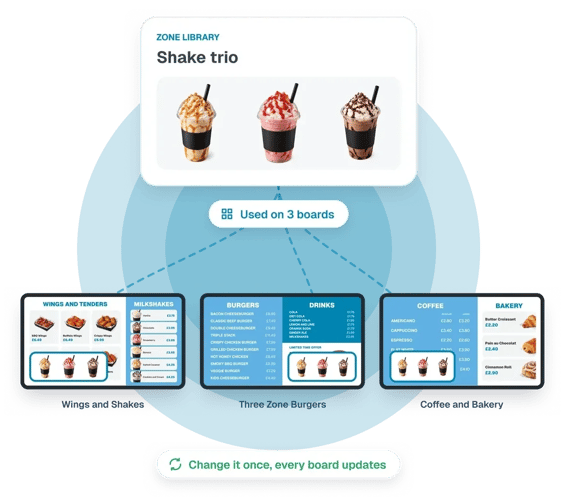
Build your menu once and roll it out across your entire estate. NS Boards separates content from artwork, so products, prices and descriptions are managed as data rather than built into individual designs.
Make changes centrally and every screen using that content stays up to date, without repeatedly redesigning and exporting artwork.
- One master design shared across your estate
- Products, prices and descriptions managed independently of artwork
- Update content once and apply changes across every relevant screen
- Maintain brand consistency while allowing local variations
One product database for your whole network
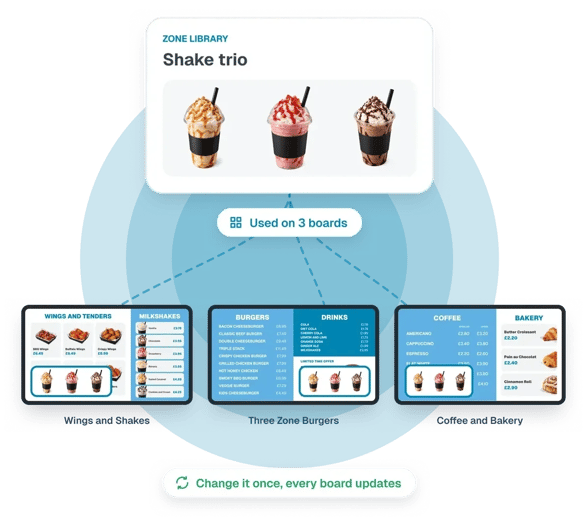
Every product on every board comes from one central database. Add each product once, with everything it needs, and every board that uses it stays up to date.
Store product names, descriptions, prices, images, icons and custom attributes such as calories and allergens. Organise products into groups and support multiple languages and currencies across your network.
Products can also be mapped to your POS system using unique SKUs, helping keep your screen content aligned with the data your business already uses.
Local control without losing central consistency
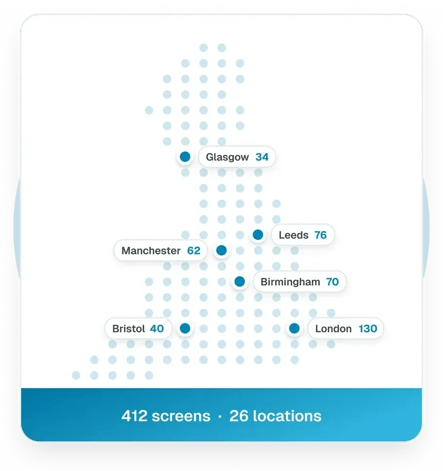
Every location can have its own pricing, promotions, product range and operating rules, while still using the master designs and products managed centrally.
- Different prices and product ranges by store or region
- Local promotions and daypart schedules
- Product information supplied through POS integration, CSV upload or manual entry
- Access tags that give regional managers control of their own locations
Menus that respond to availability
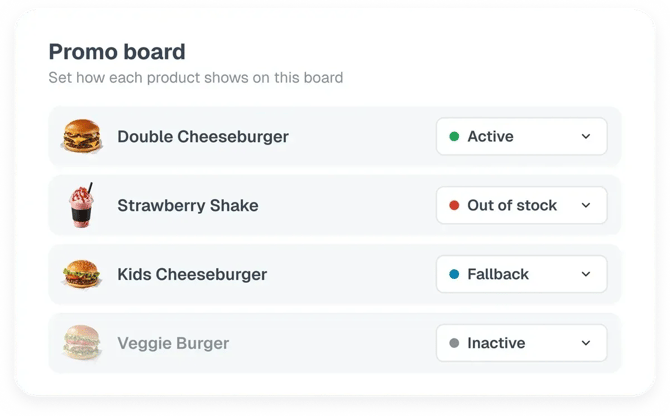
Keep menus accurate as products and stock levels change. Update products manually or automatically, controlling exactly how unavailable items appear on screen.
- Hide inactive or unavailable products
- Display out-of-stock labels
- Automatically show fallback products
- Change board layouts to suit the products available
Automate your boards with rules and conditions
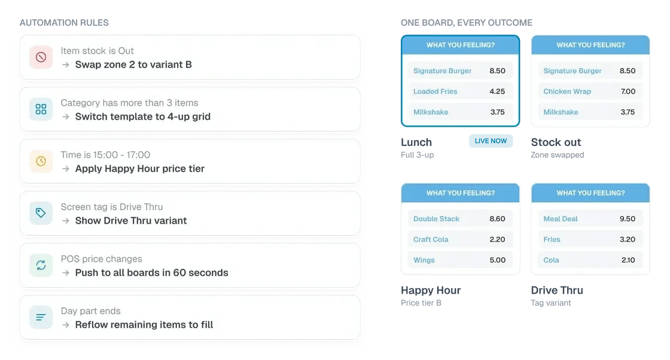
Create variants of any board or zone and decide exactly when they should appear. When the conditions are met, the variant takes over automatically. When they stop being met, the original returns. Combine different conditions to build automations around the way your business operates.
- Switch menus automatically by time of day
- Change boards based on stock levels and availability
- Schedule limited-time offers with start and end dates
- Intelligently redesign product lists based on the stock available
Works within your existing NowSignage workflow
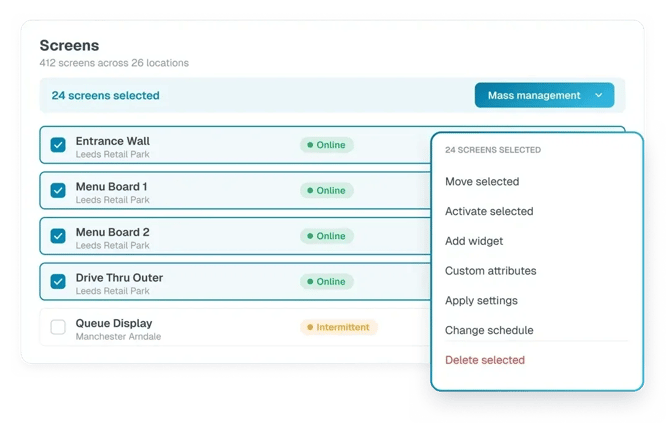
NS Boards is built into the NowSignage platform, bringing dynamic menu boards, product data and content automation into the CMS you already use to manage your screens.
Manage your boards alongside your existing signage content, using the same platform, screen management and user access. There’s no need to introduce a separate content management system or change how you manage your wider screen estate.
See what NS Boards can do for your project!
Discover how to manage products, pricing and promotions across your estate, with boards that respond automatically to your business.
Enquiry Form