
Overview
The Customer Session Timeout feature is designed to enhance platform security by automatically logging users out after a period of inactivity. This helps protect sensitive data and prevents unauthorised access when a session is left unattended.
Platforms:
-
EU (secure.nowsignage)
- Middle East (secure.me)
Permissions
Only users with Account Owner permissions can modify the session timeout setting. If you do not have the required access, please contact your account owner or system administrator.
Default Setting
By default, the session timeout is set to 30 minutes of inactivity.
How to Update the Session Timeout
The session timeout duration can be adjusted within the platform settings:
Navigation path:
My Account (top right in the CMS > Settings
Available Timeout Options
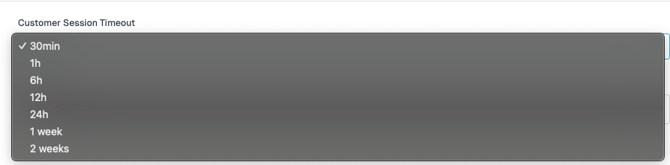
Users can select from the following inactivity timeout durations:
- 30 minutes (default setting)
- 1 hour
- 6 hours
- 12 hours
- 24 hours
- 1 week
- 2 weeks
Best Practice Guidance
- Use shorter timeout durations (e.g., 30 minutes or 1 hour) for environments handling sensitive data.
- Longer durations may be appropriate for trusted environments where extended sessions are necessary.
- Regularly review this setting to ensure it aligns with your organisation's security policies.
Summary
The Customer Session Timeout feature provides a flexible way to balance usability and security by allowing account owners to control how long users remain logged in during periods of inactivity.